Real procedures, whole-country coverage
The full national CIFP dataset — every published SID, STAR, and approach, refreshed on the FAA's own 28-day cycle. Not a handful of demo airports.
Procedures | Scenarios | Coaching
Coach reads you a real ATC clearance, built from actual FAA-coded SIDs, STARs, and approaches — then watches every heading, altitude, speed, and hold entry and tells you, objectively, how you did. No live controller required. No waiting for a CFII's calendar to open up.
Works with X-Plane · Real FAA procedure data · Free account, no subscription required to start
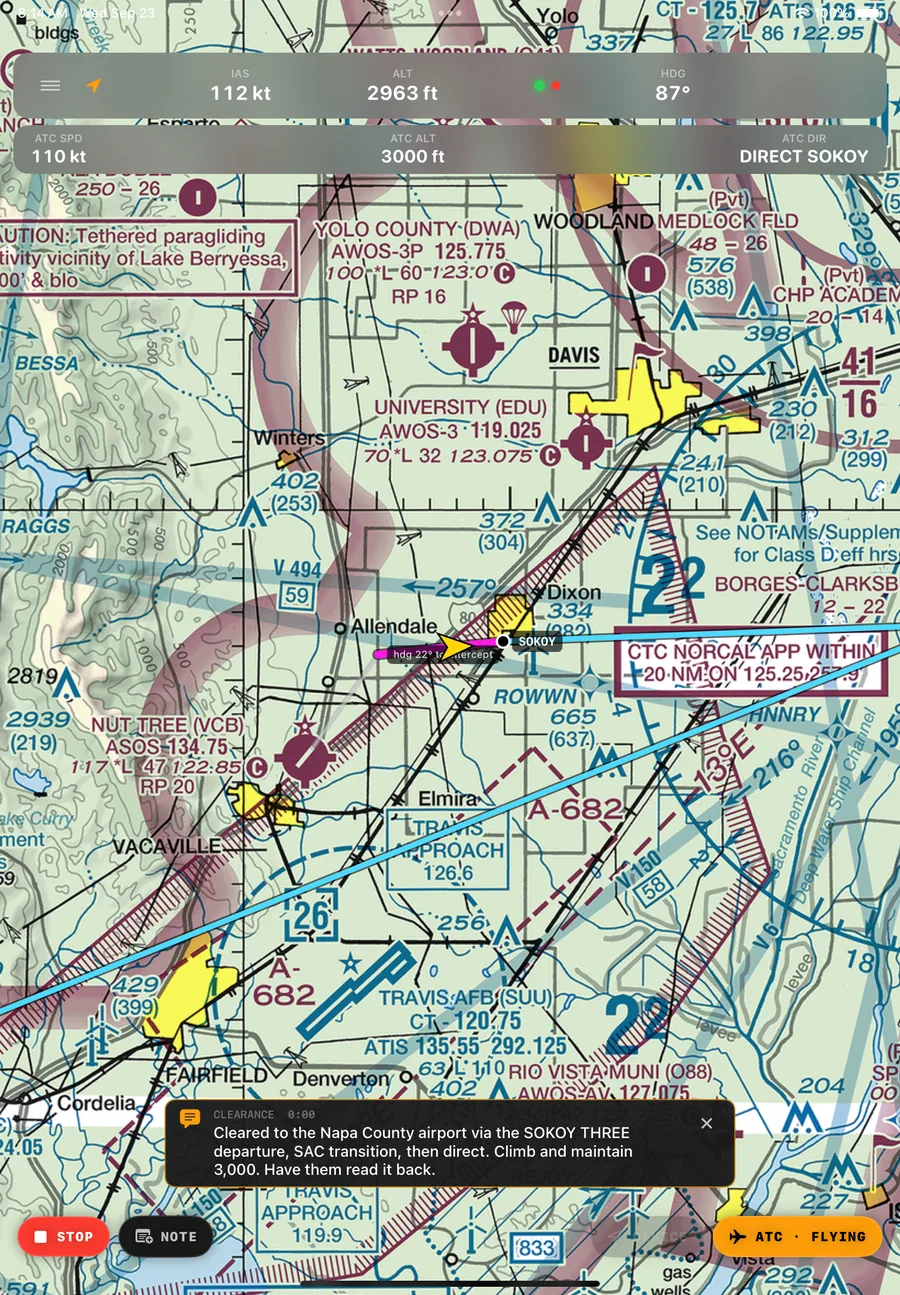
Right now, if you fly a training scenario alone at home — nothing tells you if you were off. A little wide on the localizer, a little late on the hold entry, a little slow capturing altitude — who's counting? Coach is.
For Pilots
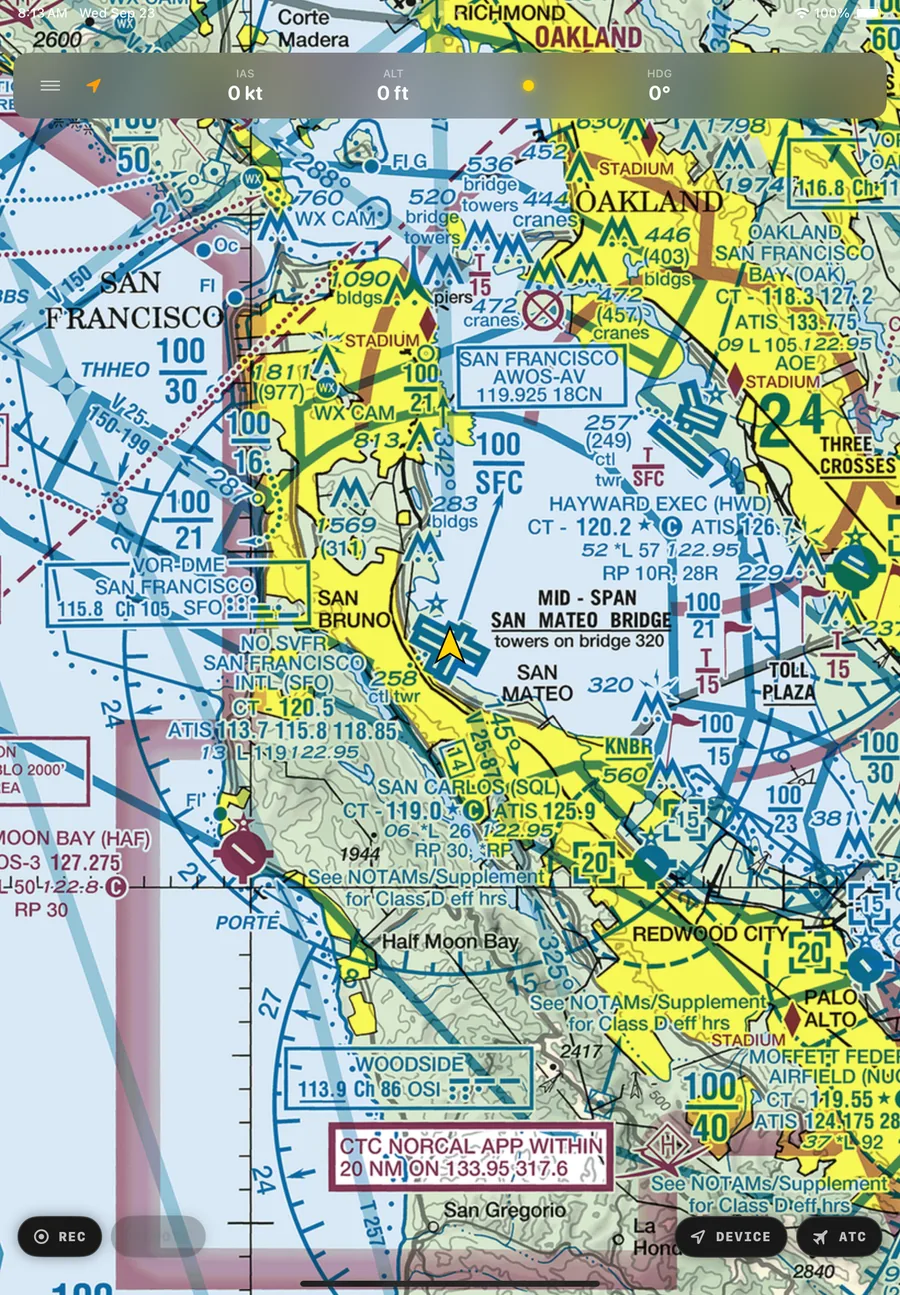
Every lesson in Coach is built on real, FAA-published procedures at real airports — not a generic training scenario. What you fly transfers directly to what's on the plate. That includes the failure modes most people can't safely drill on their own: an engine loss on takeoff, a single-engine failure after V1 in a twin, a partial-panel non-precision approach, an unusual attitude recovery with the horizon gone.
No live controller network to schedule around. No coverage area. Fly at 11pm on a Tuesday, alone, and still get a real clearance and a real grade.
For Instructors
Coach isn't just a tool a student runs alone — it's built to be the instructor's ATC and grading assistant in the room, or the reason a student's solo practice during the week is still worth something when you review it together. Script the clearance. Trigger the failure at exactly the moment that teaches the most. Let the debrief carry the conversation instead of your memory of what happened four approaches ago.
Failure Practice
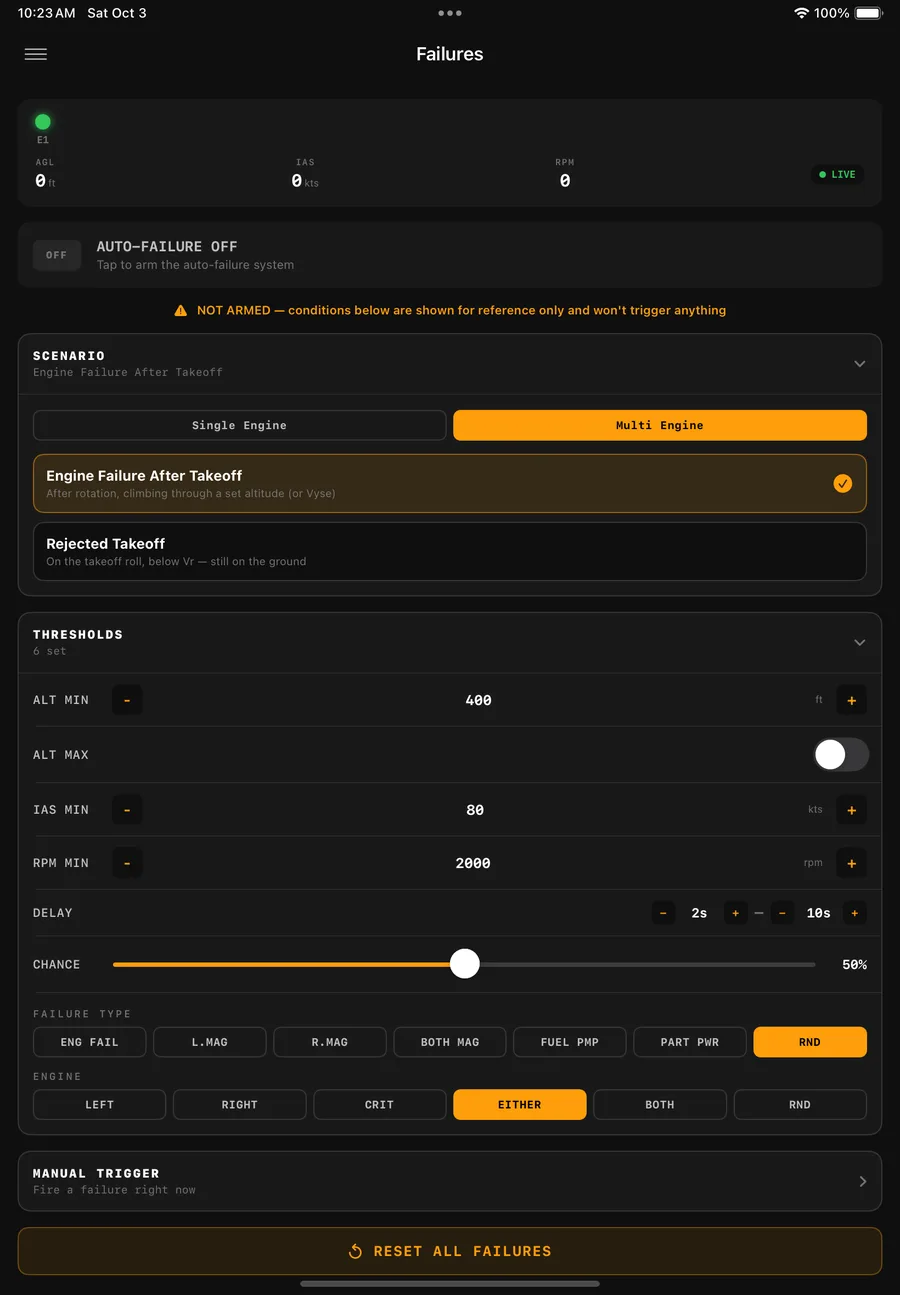
Real engine-failure training in a multi-engine airplane has a hard limit: nobody pulls a mixture right at rotation, or in the climb just after liftoff — there's no margin left if the drill goes wrong. That's exactly the window Coach can drill, safely, as many times as it takes. Arm the scenario and the failure can only fire inside a real altitude-and-airspeed band after takeoff — not randomly anywhere in the flight, but not on a predictable cue either.
Because it isn't just whether a failure happens — it's when. Coach randomizes the odds it fires at all (0–100% chance) and re-rolls the dice on its own random delay every time they come up empty, so arming the scenario never tells you the failure is coming, or exactly when inside that window it will. That's what makes it a real startle to react to, not a rehearsed cue you're already braced for.
Why Coach exists
Continue reading the story →I was trying to practice multi-engine emergencies — the real memorized flow every multi-engine pilot drills. The hard part was never the flow. It was not knowing an engine was about to fail.
So I asked my daughter to sit next to me with the iPad and click "fail engine" whenever she felt like it. Left, right, or not at all — her call, not mine. It worked perfectly. I didn't know if or when it was coming, so my reactions were real instead of rehearsed.
Missions
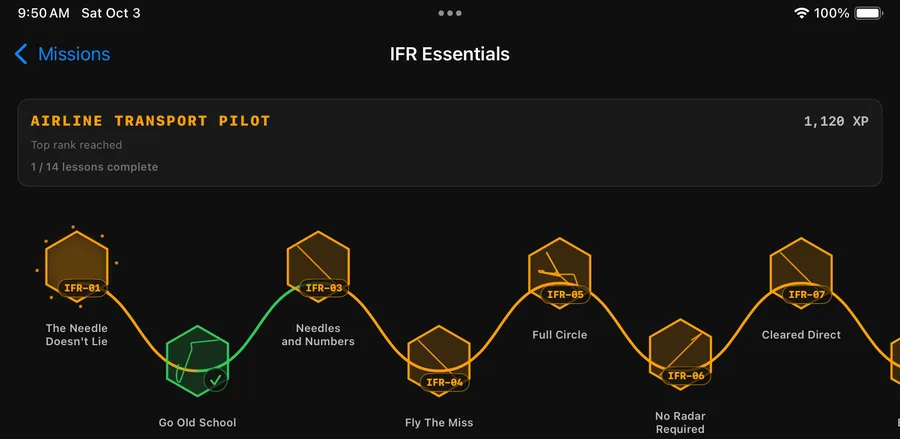
Every lesson lives inside a mission pack, laid out as a real trail — Story Mode's narrative scenarios and IFR Essentials' skill-by-skill progression, each one unlocking the next instead of handing you a flat list to pick at. Fly a lesson, get graded, earn XP, watch your rank climb from Student Pilot toward Airline Transport Pilot.
Feedback
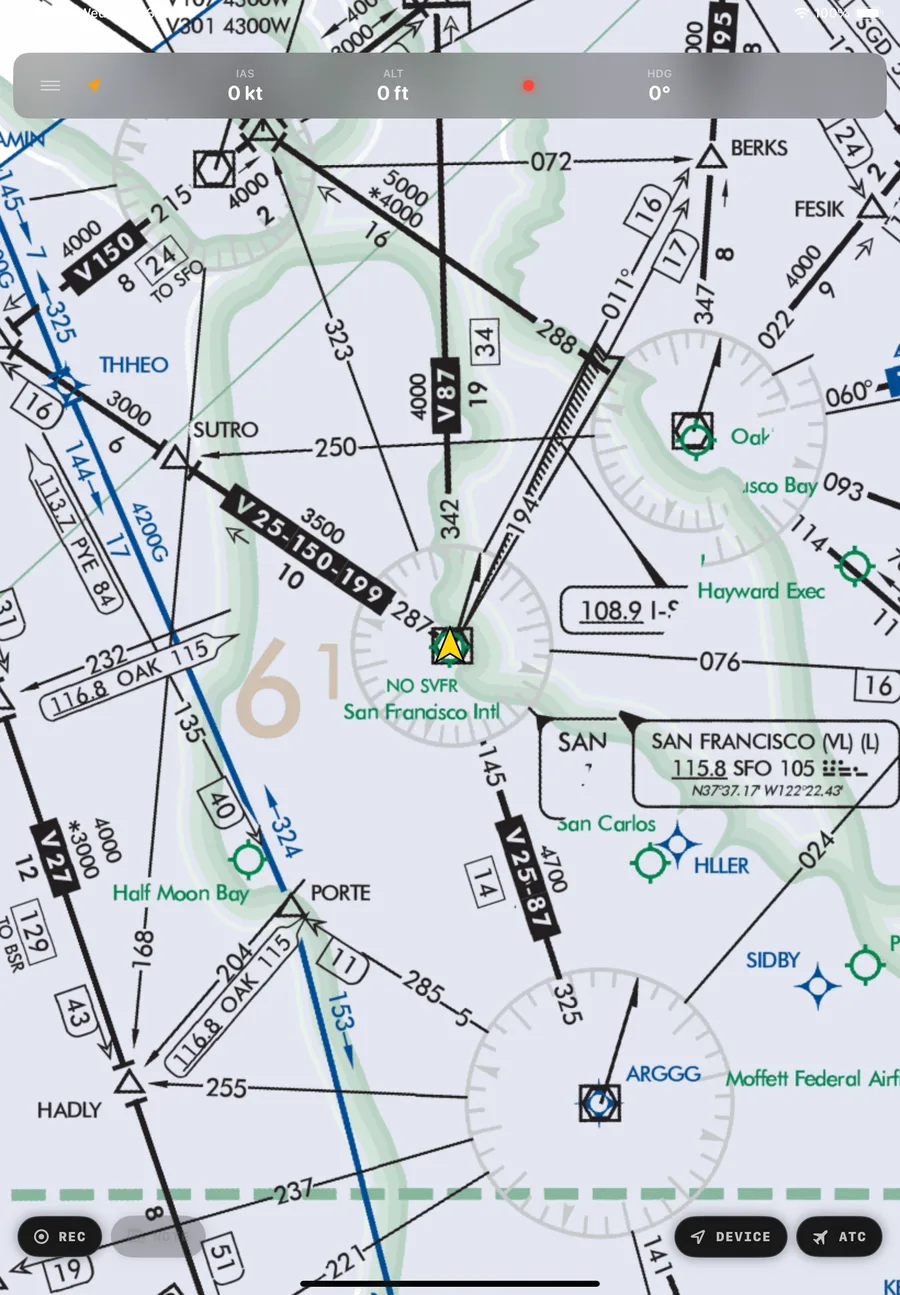
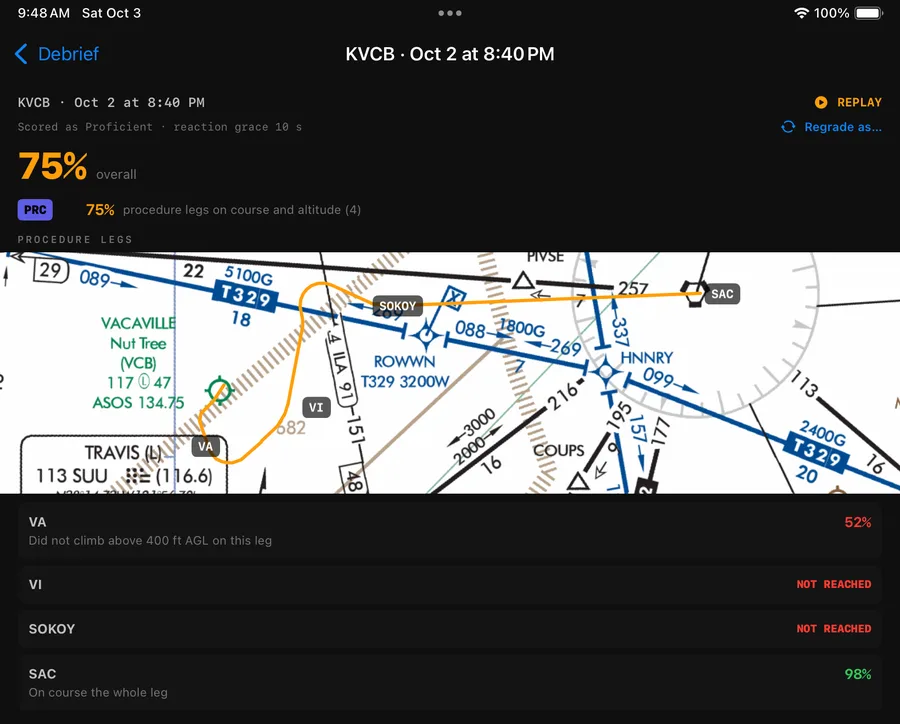
Every flight debriefs onto the real IFR chart your procedure is actually charted on — the whole route in one view, every leg labeled where it was flown. Tap a leg and it highlights in place, so "you drifted off course after SOKOY" is something you can actually see, not just read as a percentage. Then replay the whole flight back, start to finish, whenever you want to watch it again.
What's actually in the app
The full national CIFP dataset — every published SID, STAR, and approach, refreshed on the FAA's own 28-day cycle. Not a handful of demo airports.
Heading, altitude, and speed capture against tolerance and timing. Hold entries graded against the actual entry called for — direct, teardrop, or parallel.
Engine failures, vacuum loss, partial panel, unusual attitudes — scripted precisely, repeatable exactly, without the risk or expense of doing it for real.
A structured, leveled progression from a first simple approach through full coded departures, non-precision approaches at untowered fields, and abnormal-procedure drills.
No second person required — Coach can fly the airplane itself while you run the ATC side, or vice versa, to practice either seat.
Build a condition → action script from scratch: reach a fix, cross an altitude, a set number of seconds after start — then fire a failure, an instruction, or a cue.
A small desktop app for your simulator computer — auto-discovery on your network, no manual IP entry, and the only way in for Microsoft Flight Simulator, which has no equivalent of X-Plane's own API. Download & setup →
What's next
Coach today is the iPad app above — real, working, and what you'd fly right now. Here's what's actively being built on top of it.
An account that remembers every flight — hold-entry accuracy over time, which skill keeps getting busted, a suggested next lesson that actually targets it.
Tag a flight to a pilot's account after the session; they accept it, and it lands in both your logbook and theirs. No school sign-up required on either side.
The same objective grading, for a real airplane — GPS-tracked in the background while your EFB stays in front, working alongside PilotEdge or real-world ATC too.
Every lesson today is hand-coded against real procedures at a specific airport — but that shouldn't mean waiting on us for an airport we haven't gotten to yet. Ask for a scenario anywhere and get back a script grounded in real fixes and published procedures, not invented ones, reviewable before you ever fly it.
When the FAA has actually published a preferred route for your city pair, that's what a generated flight plan uses — not a guess at what sounds plausible. We're indexing the FAA's own preferred-routes data so a route reflects what ATC really tends to clear.
Free to start. No school, no instructor, no subscription required to fly your first lesson — just a free account.
Get Coach